Alternative App for Orvibo/Broadlink3.58
Publisher Description
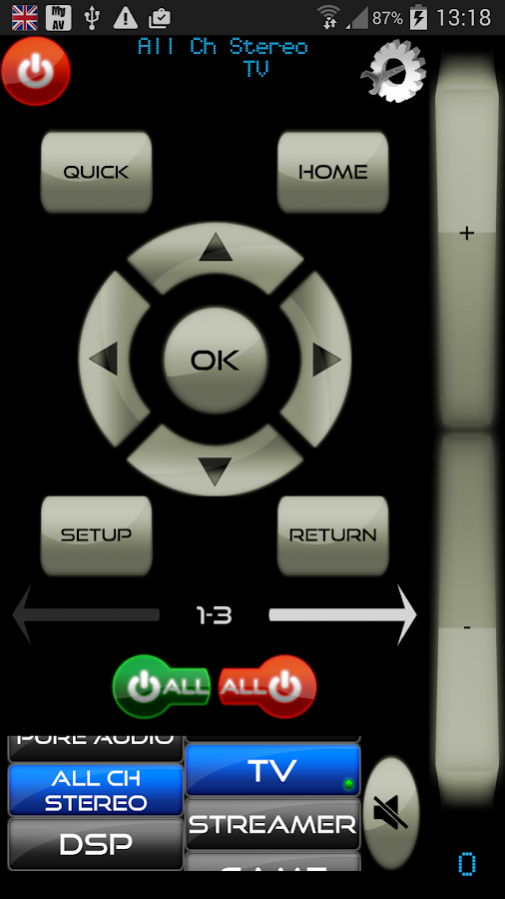
Unofficial app for the Orvibo AllOne IR, Broadlink RM2 Pro, RM33, RM03 & RM Mini 3 (Black Bean) blasters. 7 day trial. Has IR sending and learning capability.
Database with many popular IR codes, control of many different brands of equipment using IP/Wi-Fi too.
Over WI-Fi MyAV can control Onkyo, Yamaha, Denon, Marantz, LG , Oppo, Arcam, Anthem(beta), Roku, NowTV, XBMC, Philips, Panasonic, Pioneer, Sony, Sharp, Samsung, Panasonic, Dreambox, Sky+HD, DirectTV, Virgin Media, WDTV, Humax .
AllOne instructions
If you've only just bought your AllOne then please download the official "WiWo" app to get your AllOne on your local network. To get your AllOne into the correct mode hold down the button on it until the light flashes red and then hold down again until it flashes blue. Then connect your phone/tablet to the AllOne Wi-Fi that will have appeared. In the "WiWo" app go to settings>AP Config and setup your Wi-Fi
Once you have the AllOne on your local network please run a "manual scan" in MyAV in order for it to find your Orvibo AllOne, You should then see an option to "manually add IR device".
Broadlink instructions
If you've only just bought your RM Pro then please download the official "Broadlink" app to get your RMPro on your local network
Once you have the RM Pro on your local network please run a "manual scan" in MyAV in order for it to find your RM Pro, You should then see an option to "manually add IR device".
About Alternative App for Orvibo/Broadlink
The company that develops Alternative App for Orvibo/Broadlink is Pocketwood Ltd. The latest version released by its developer is 3.58. This app was rated by 3 users of our site and has an average rating of 3.3.
To install Alternative App for Orvibo/Broadlink on your Android device, just click the green Continue To App button above to start the installation process. The app is listed on our website since 2019-08-23 and was downloaded 130 times. We have already checked if the download link is safe, however for your own protection we recommend that you scan the downloaded app with your antivirus. Your antivirus may detect the Alternative App for Orvibo/Broadlink as malware as malware if the download link to com.pocketwood.myav_orvibo_trial is broken.
How to install Alternative App for Orvibo/Broadlink on your Android device:
- Click on the Continue To App button on our website. This will redirect you to Google Play.
- Once the Alternative App for Orvibo/Broadlink is shown in the Google Play listing of your Android device, you can start its download and installation. Tap on the Install button located below the search bar and to the right of the app icon.
- A pop-up window with the permissions required by Alternative App for Orvibo/Broadlink will be shown. Click on Accept to continue the process.
- Alternative App for Orvibo/Broadlink will be downloaded onto your device, displaying a progress. Once the download completes, the installation will start and you'll get a notification after the installation is finished.
Program Details
System requirements
Download information
Pricing
Version History
version Cow V3.58
posted on 2019-08-23
Bug/Crash fixes
Denon/Onkyo/Pioneer/Marantz AV Receiver 2019 models
More Hisense TV models
Better screen rotation
Fix for Huawei phones with IR blasters
version Cow
posted on 2018-01-14
Fixed bug for testing IR buttons
Support for Orange TV France
Support for SFR France
Support for Sky Pro & Sky HD (Cable) Germany
Support for Technisat
Support for Ziggo Netherlands
Support for Virgin Media Ireland
Support for UPC Germany/Switzerland/Austria
version Pig-Cow
posted on 2016-09-30
Broadlink RM2 Pro/RM Mini 3 support,Nougat Support (Orvibo All one only at present),Bug fixes
